



Kordon - a kill switch for your apps
VPN dropped, IP changed or the connection blinked - Kordon pauses the apps you chose in a split second. The right address is back - they carry on where they left off. The rest of your internet keeps working.
- 3systems: macOS, Windows, Linux
- < 1 sto resume if the IP is unchanged
- 0data sent without your consent
- $0free, no ads
Why you need it
Some apps must never run from the wrong address: work software that must only go through the corporate VPN, torrent clients, messengers, region-bound cloud services. VPNs drop all the time - after sleep, on a Wi-Fi switch, on reconnect - and the app is already sending data from your real IP.
A kill switch inside the VPN client cuts the whole internet, and after every blink you reopen your apps. Kordon is targeted: it touches only the apps you chose and freezes them instead of closing - if the network is back within 20 seconds, nothing is lost.
How it differs
| VPN kill switch | Firewall | Kordon | |
|---|---|---|---|
| Touches only the apps you chose | no, cuts everything | yes | yes |
| VPN blinked - the app continues where it was | no | no, drops connections | yes, freeze |
| Allow a whole country, not one address | no | no | yes |
| Catches IPv6 and DNS leaks | not always | no | yes |
| Works with proxy-mode VPN clients | depends | no | yes |
| Trusted networks: home without VPN, cafe with it | no | no | yes |
| No admin rights | not always | no | yes |
| One tool on Mac, Windows and Linux | no | no | yes |
What it does
Freeze instead of kill
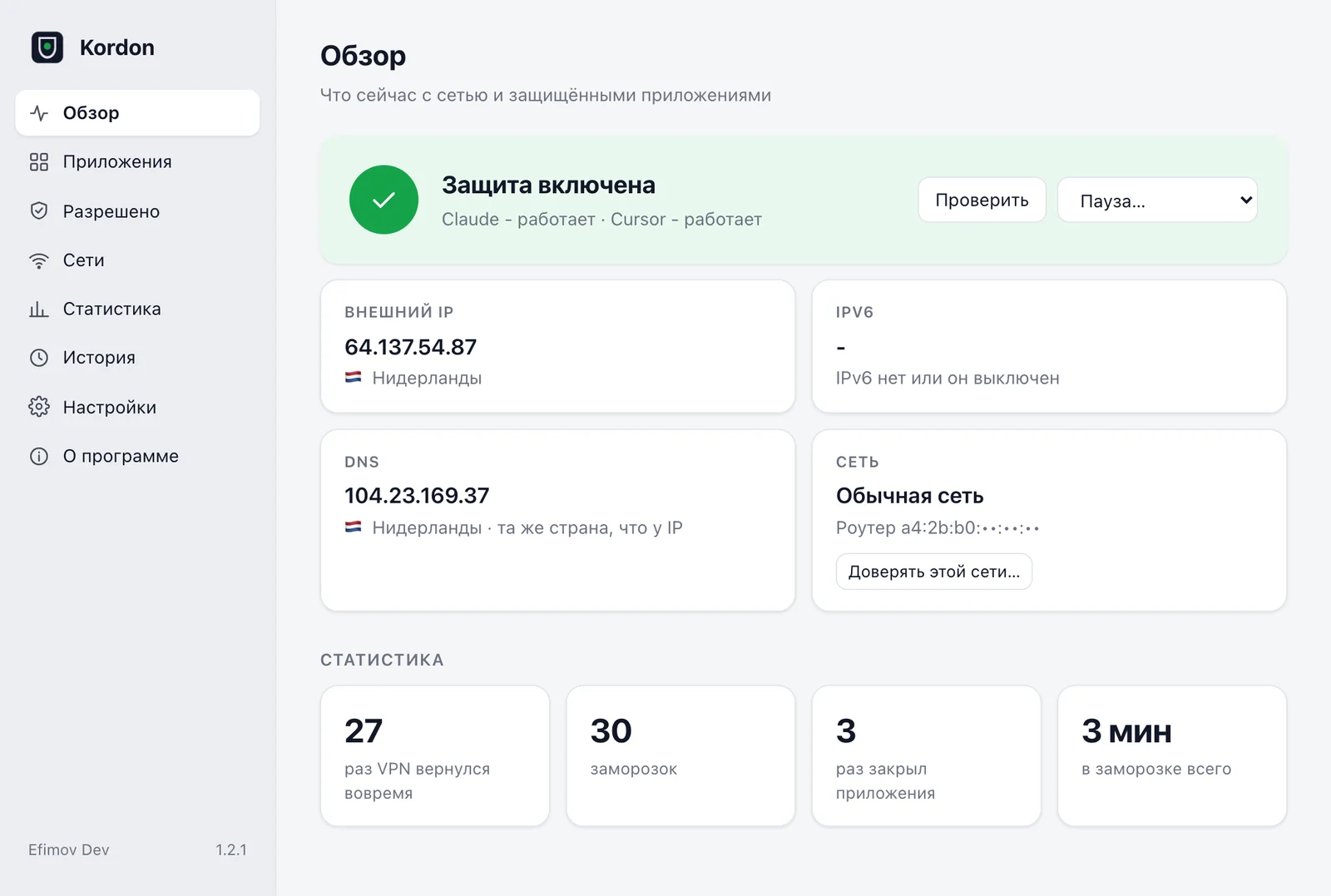
Network changed - apps paused in a split second. The right IP is back - they carry on. Not back within 20 seconds - they close, politely first, so they can save.
Rules per app
One app may run from any EU country, another only from one country or subnet. Rules are independent.
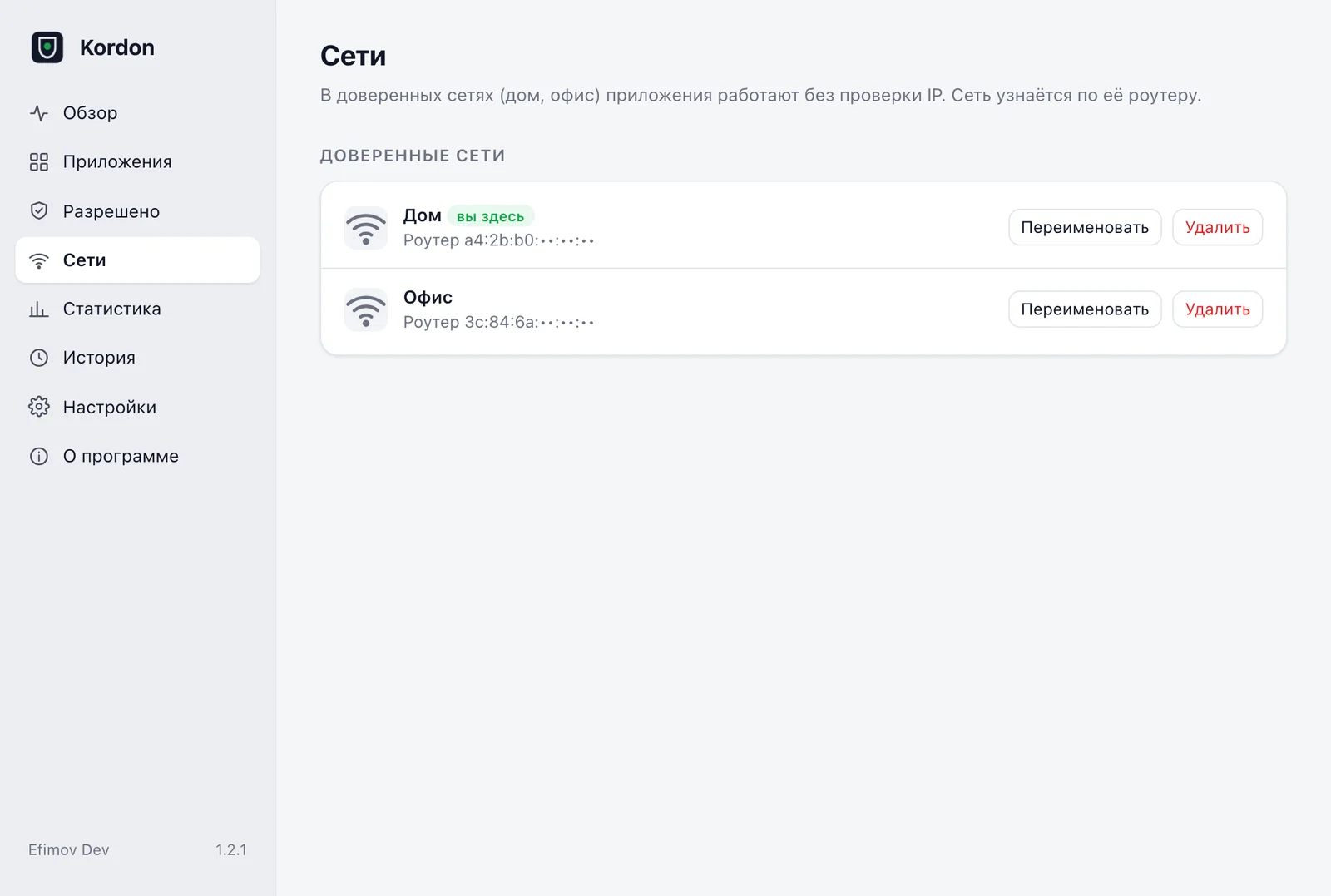
Trusted networks
At home and in the office you can go without VPN; on someone else's Wi-Fi Kordon watches again. Networks are recognised by the router, no location access needed.
IPv6 and DNS leaks
Many VPNs tunnel only IPv4, and DNS queries go to your ISP. Kordon checks both.
The whole process tree
Not just the app but everything it started: helper processes, terminal commands, git and curl.
Whole browsers
Google Chrome, Yandex Browser, Microsoft Edge, Brave and Firefox freeze with every tab and their network process. Handy to keep a separate browser for work services.
Ready presets
ChatGPT, Claude, Cursor, Copilot, Telegram, Discord, Slack, Zoom and more - one tick in the menu. Add any app of your own.
Never touches the wrong process
Before every action Kordon checks the process start time, not just its PID: if the OS reused the number for another app, it is left alone.
Verified builds
The installer checks SHA-256 against the release and installs nothing if the file was tampered with. If Kordon crashes, its supervisor restarts it within a second.
IP and country at a glance
Flag and IP in the Mac menu bar, a country code by the Windows clock. Colour shows the state. A meeting mode hides the IP on screen shares.
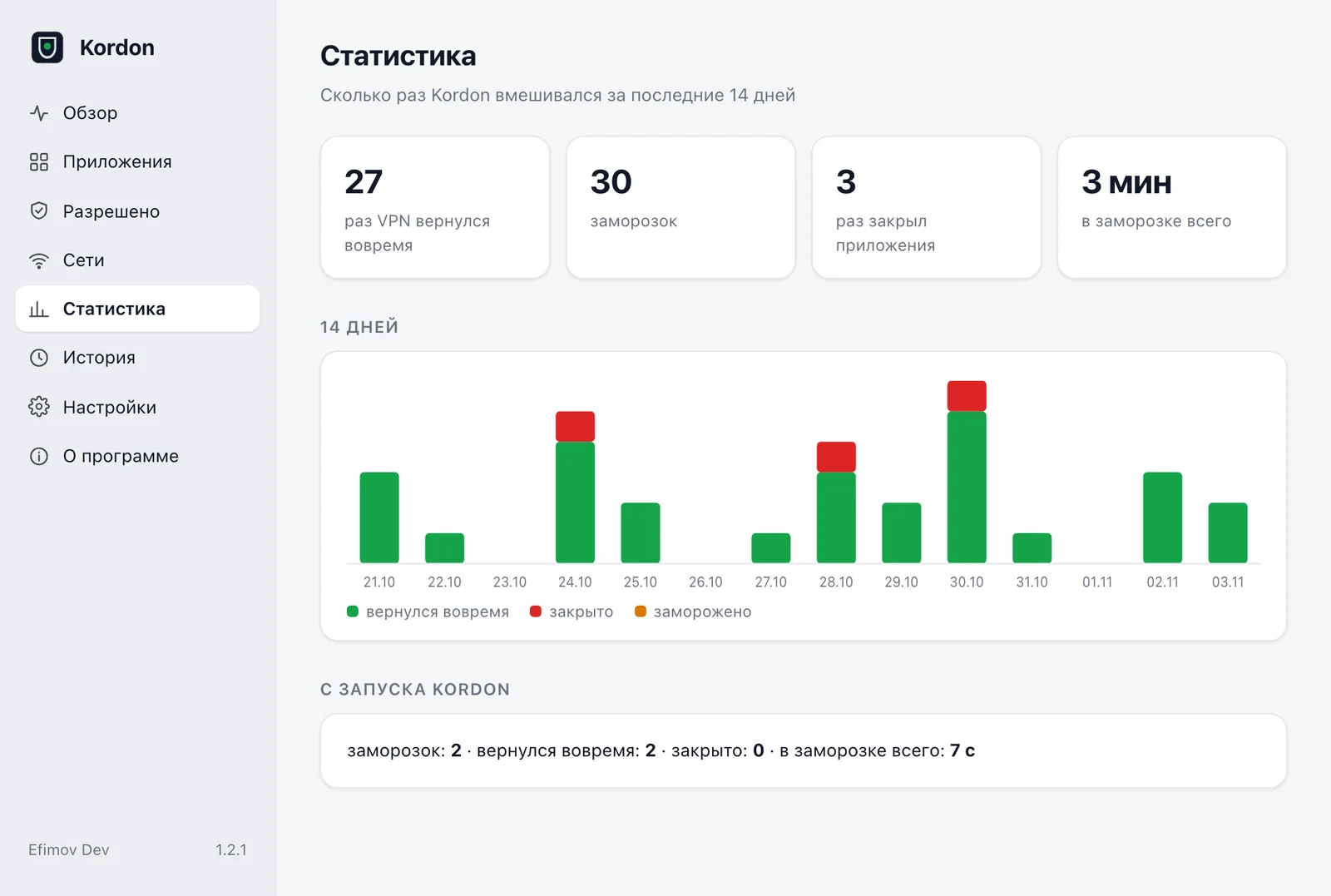
Panel and stats
A window with apps, rules, networks, history and stats: how often the VPN dropped and how often Kordon resumed your apps in time.
One-click updates
A new version shows up in the menu. Kordon downloads it, checks the checksum and restarts. It never installs anything without your click.
What it looks like
GitHub ↗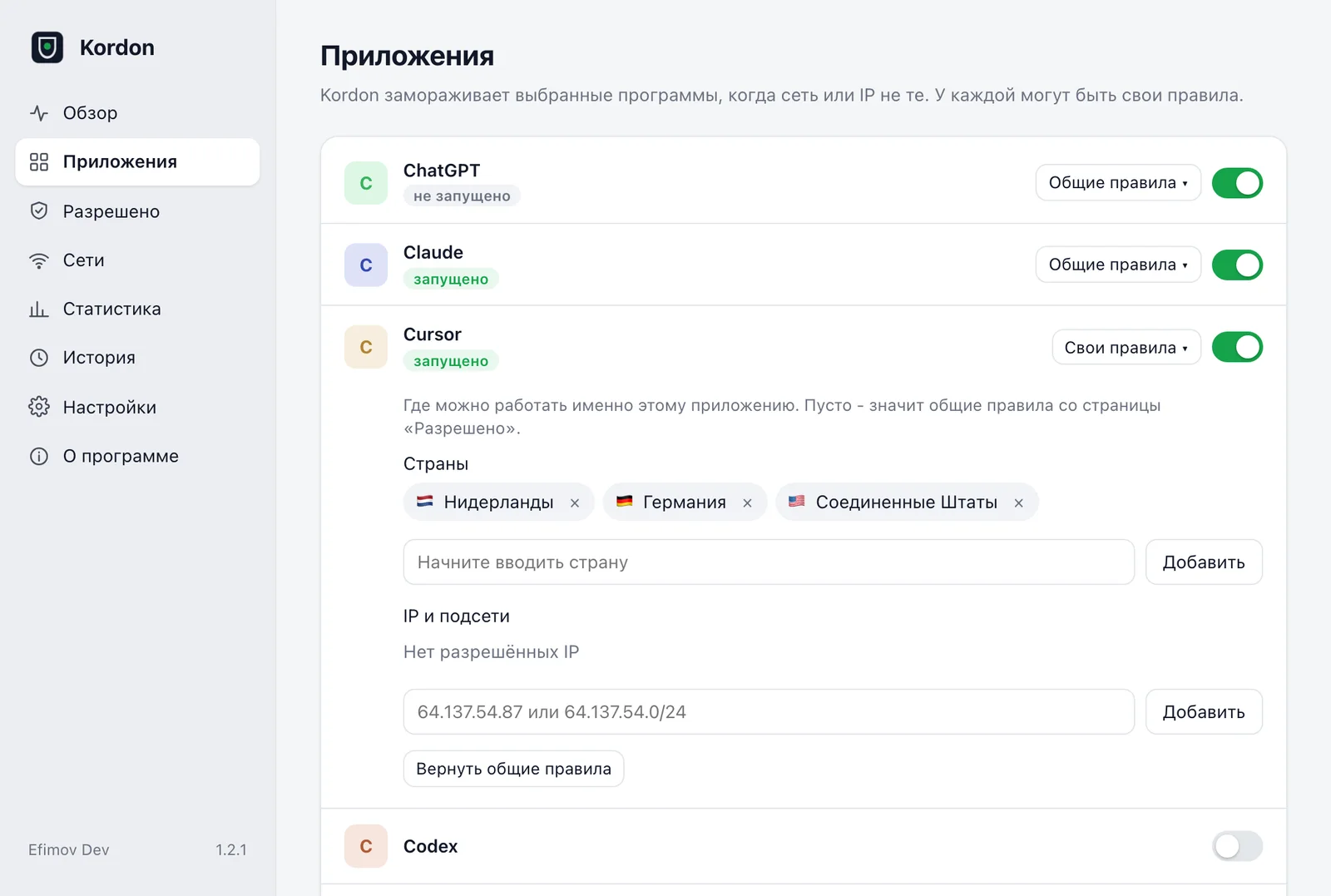
How it works
Watches the network
The OS tells Kordon about network, VPN tunnel or route changes. Plus an external IP check every 5 seconds.
Freezes
The chosen apps are paused with the system's own process pause and send nothing.
Checks the IP
At least two independent services must confirm the address. All good - resume, usually in under a second.
Resumes or closes
The right IP is back within 20 seconds - work continues. If not, the app closes and won't start until the address is allowed.
Install
One line in the terminal. No admin rights.
curl -fsSL https://raw.githubusercontent.com/ef1m03/kordon/main/scripts/install.sh | shirm https://raw.githubusercontent.com/ef1m03/kordon/main/scripts/install.ps1 | iexcurl -fsSL https://raw.githubusercontent.com/ef1m03/kordon/main/scripts/install.sh | shPrefer manual? Builds for every system are on the release page. ↗
What Kordon sends over the network
- Asks several public services for your external IP and waits until two agree.
- Looks up the country of the IP. The same address is never asked twice.
- Makes one DNS query to see whose DNS your requests go through.
- Once a day checks the latest version number on GitHub. Can be turned off.
Nothing else: no analytics, no counters. Settings and logs stay on your computer.
Honest limits
- Kordon works at the app level, not the network level: milliseconds pass between a network change and the freeze. If you need "not a single packet outside the VPN", also enable your VPN's own kill switch.
- Apps running as administrator and system services are left alone.
- It can't protect against malware on the same computer: that could simply stop Kordon.
Questions
Is it a VPN?+
No. Kordon doesn't change your address or encrypt traffic. It watches which IP the chosen apps run from and pauses them if it's wrong. Works with any VPN or none.
How much is it?+
Free, no ads. Sends nothing without your consent.
Can it protect a browser?+
Yes: Chrome, Yandex Browser, Edge, Brave and Firefox are ready presets. The whole browser freezes, so keep a separate one for work services. Safari can't be added: its tabs run in shared macOS system processes.
Does it need admin rights?+
No. It installs into your user folder and runs with normal rights.
What if Kordon crashes?+
Its own supervisor restarts it within a second. On start everything is frozen until the first IP check.
How do I uninstall it?+
From the Kordon menu or with one command - see the README on GitHub.
Where do I report a problem?+
The menu has "Report a problem": it opens a GitHub issue with the version and log, IP and MAC addresses masked. Or Telegram @efimov_dev.
Need a product of your own? We'll build it.
We built and shipped Kordon ourselves: Go, three systems, GitHub Actions builds, Homebrew and winget. We build apps and services for clients the same way - starting with a free prototype.