






A custom CRM for a small studio: calling the client back in 15 seconds and AI that reviews every call
Leads come from Yandex ads, the website, Telegram and phone calls. While there were few of them, a spreadsheet and memory were enough. Once ads started, it became clear we were losing money in the silliest places: calling back an hour later, forgetting to follow up with someone who said they would think about it, and not knowing which ads brought people who actually paid. In September we rewrote our CRM from scratch and kept only sales. Here is what it does and what really works.
A pipeline of six steps
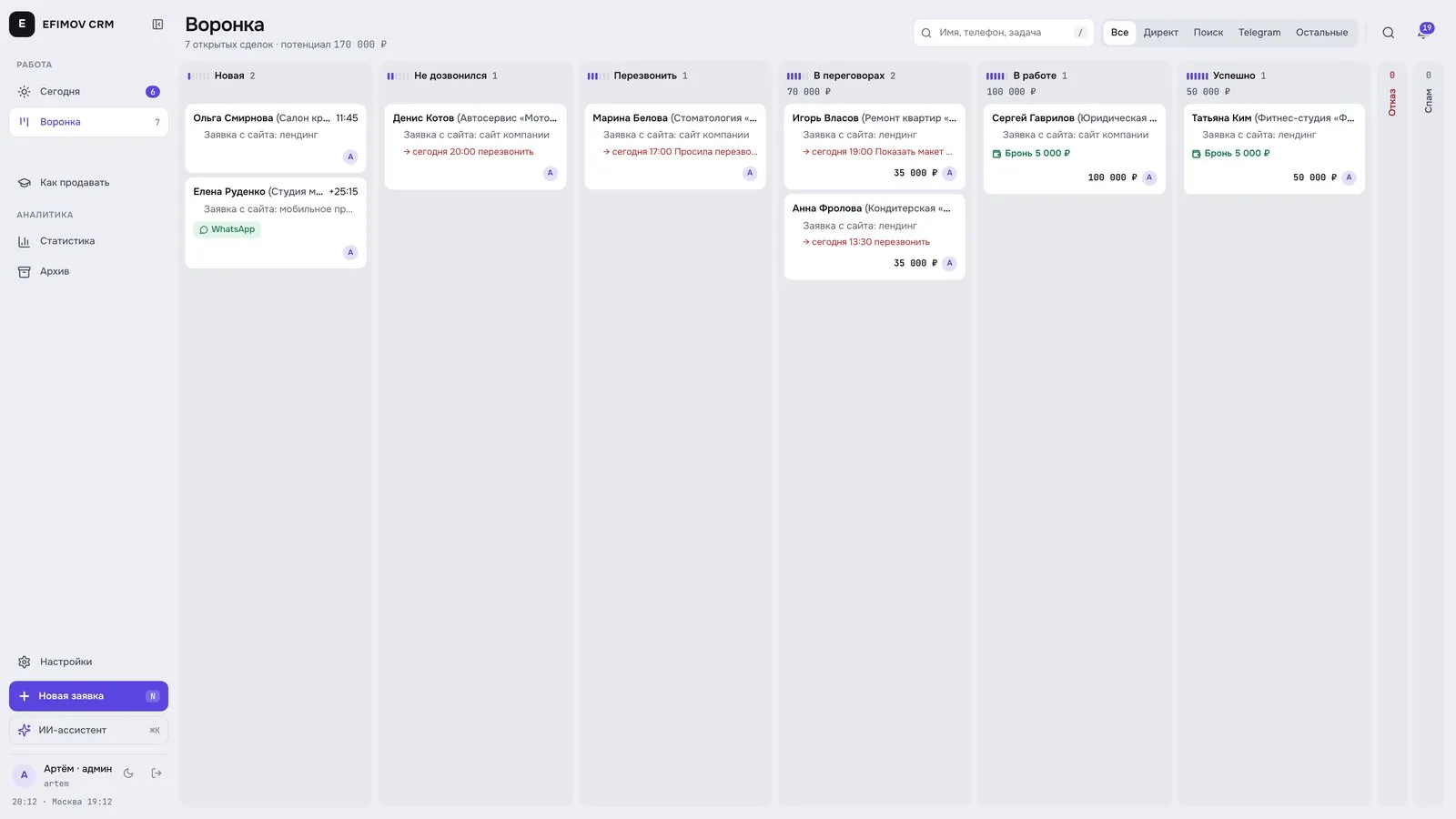
At first we built a pipeline like everyone else: proposal sent, prepayment, contract and so on. A week later we removed half of the stages. Cards simply got stuck in “proposal sent” and the sales person did not know what to do with them.
Now there are six steps: New, No answer, Call back, Negotiating, In progress, Won. Plus lost with a reason and spam. Each stage answers one question: what should I do with this person right now.
The first 15 seconds after a lead
The faster you call back, the more likely the person still remembers why they left a request and has not gone to a competitor. So the most useful thing we built is the auto callback.
Someone leaves a request on the website during working hours. 15 seconds later the CRM first calls the manager and, once they pick up, connects them to the client. The manager does not even need to look up the number. At the same time a Telegram message says “your phone is about to ring” and the client card opens.
If a request arrives at night in Telegram direct messages, the client gets one auto reply: we will answer in the morning after 10:00, and meanwhile you can ask a question in the website chat.
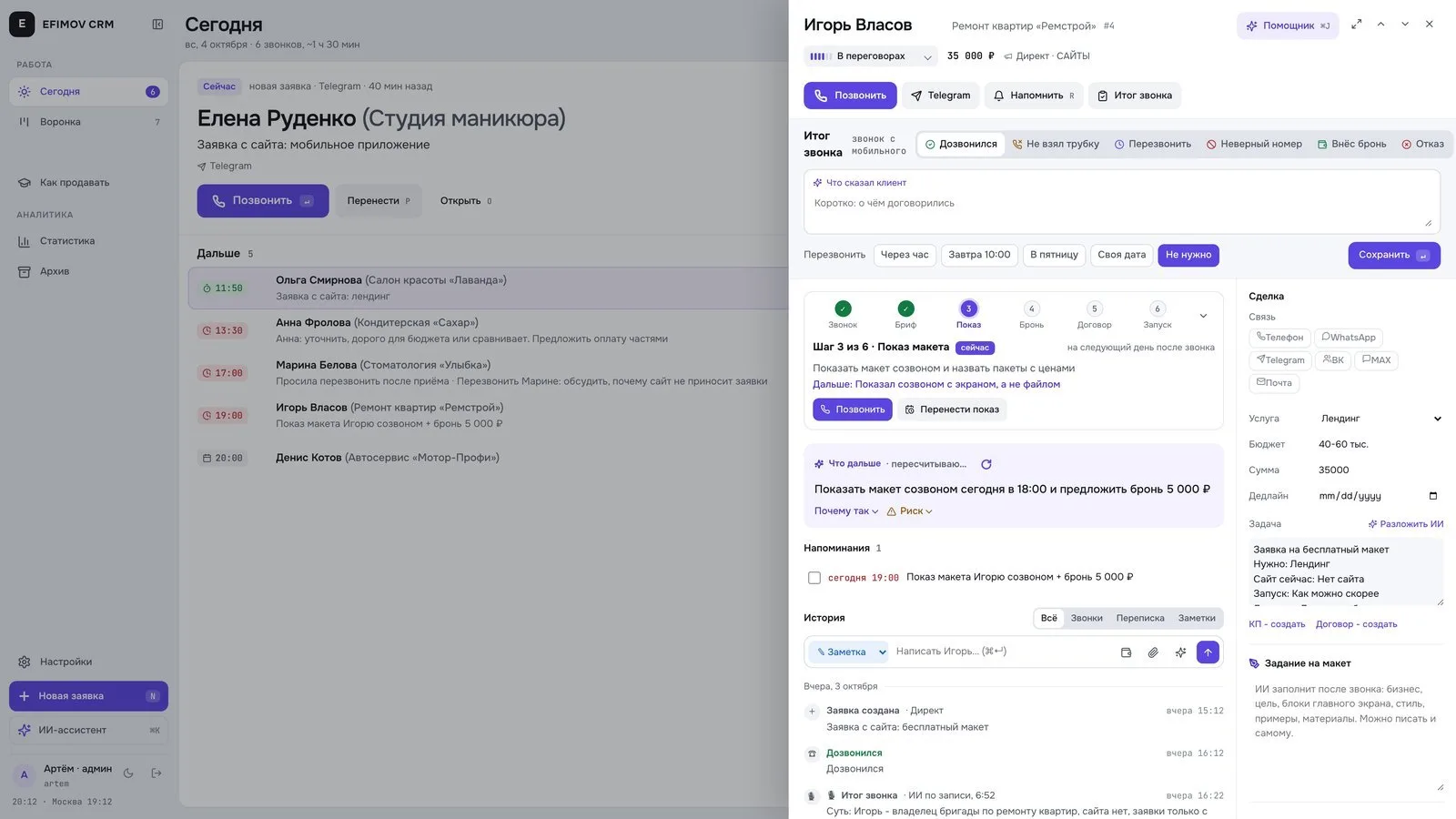
Calls right from the card
Telephony is connected through the operator API. What it gives us:
- a call button in the card, no dialling;
- an incoming call from an unknown number becomes a new lead;
- a missed call sets “call back now”;
- every conversation is recorded in the card and can be replayed;
- the region and operator are visible right away (the official numbering registry, updated monthly).
After the call the recording is transcribed and AI writes a summary: the gist, agreements and the next step. At the end there is a short call review with two or three tips on what could have been said better. That turned out to be surprisingly useful for training: the sales person sees their mistakes the next day, not a month later.
Telephony pitfalls
This is where we lost the most time, so in detail.
Not a single call from the CRM reached the client. The call went out, the manager's phone rang, the client's did not. It turned out the operator treats a number without “+” as dialling from our own phone, and the call drops. One character, and until then not a single outgoing call from the CRM had gone through.
One incoming call is several calls. When an incoming call rings several internal numbers at once, each has its own leg. The hang-up of those who did not answer arrives in the same second as the answer of the one who did. At first the CRM recorded such calls as missed. Now the result is calculated across all legs: there was a conversation if at least one leg really answered.
Answered does not mean talked. If the manager's phone is off, the operator may send an answer that lasts zero seconds. The CRM showed “call in progress” for 20 minutes while nobody had called the client. Now a zero-length answer does not count as a conversation.
The lesson: in the telephony docs everything looks simple, but the real behaviour is visible only in raw events. We log them separately and look there whenever something behaves oddly.
AI in the card
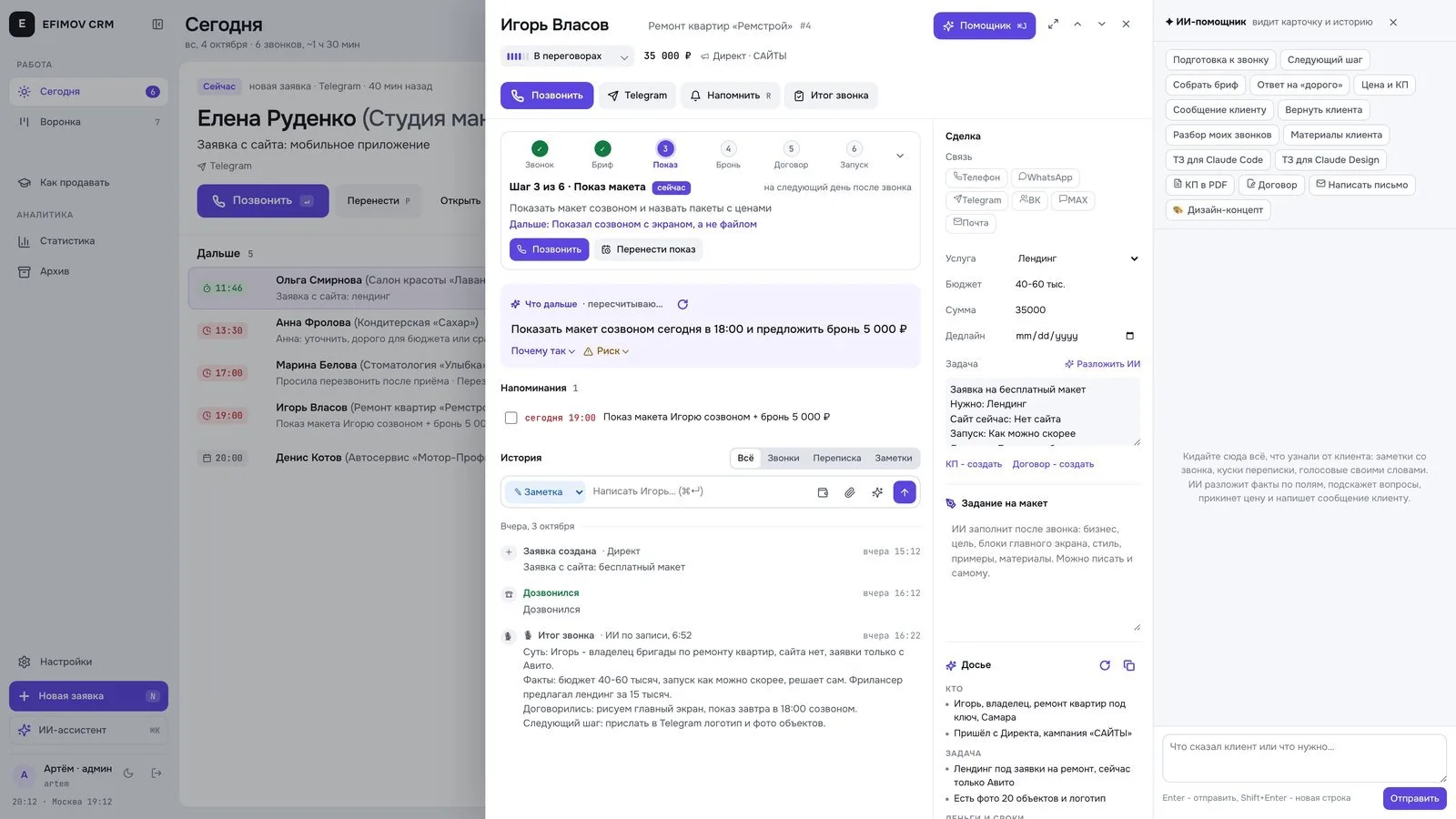
Our AI does not sell on its own and does not change the deal stage. It only suggests and drafts, a human decides. What it does:
- scores the deal: warm or cold, likelihood, next step, main risk;
- prepares for the call: what we know about the client and what to ask;
- writes drafts: an answer to an objection, a follow-up message, a proposal;
- brings back silent clients: if a client in negotiation has been silent for three days or more, AI drafts a short message and sends it to Telegram with a “Send” button. No more than once a week per person;
- asks for a review: a week after delivery it reminds us and drafts the request with a link.
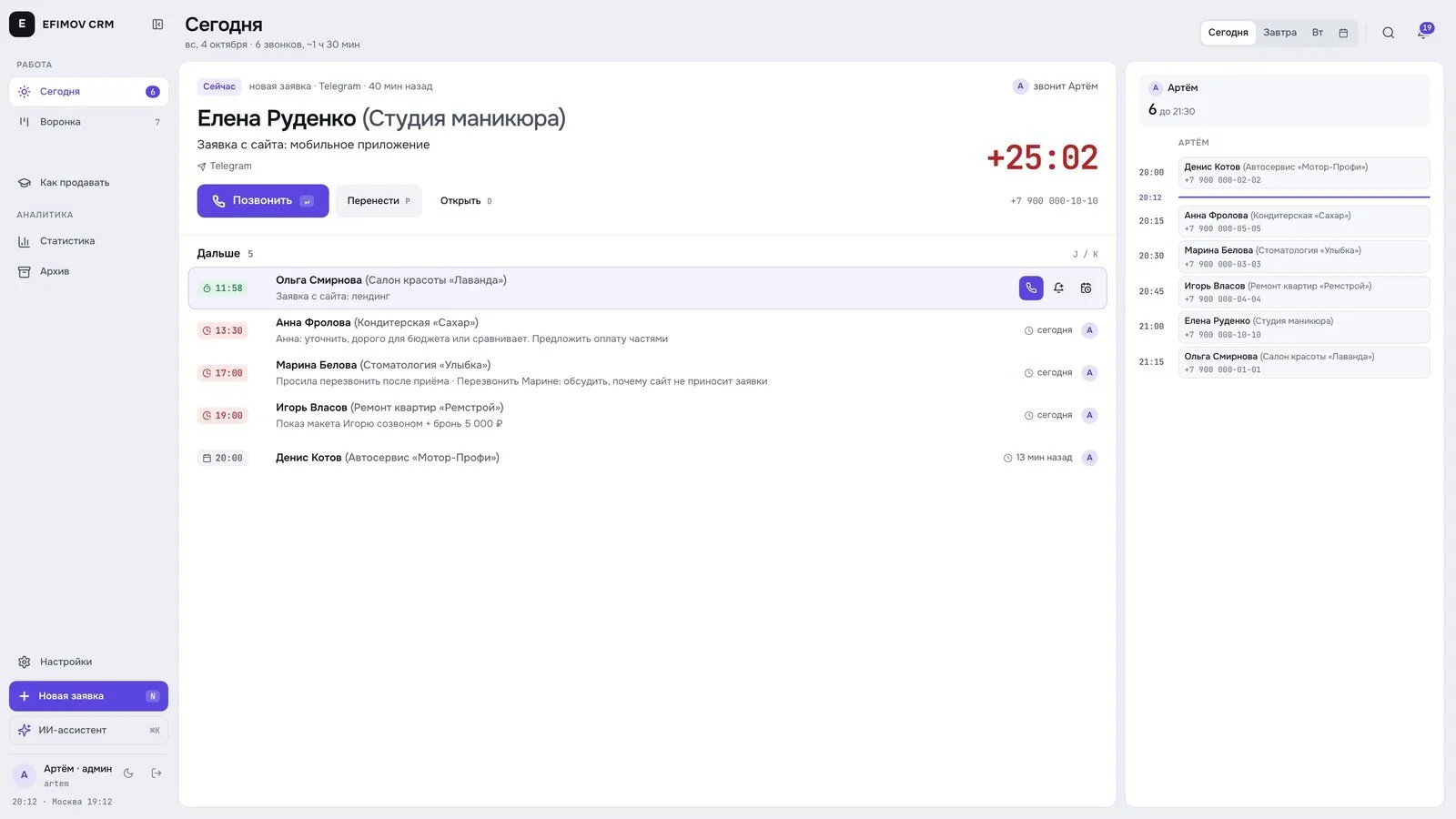
Every morning Telegram gets a plan for the day: whom to call and when, which projects have deadlines coming. On Mondays there is a weekly report: leads, channels, pipeline, deals, ad spend and cost per lead.
Connecting sales to ads
This is the part that made writing our own CRM worth it.
Deals go back to the ads. When a client reaches negotiation or pays, the CRM sends it to the analytics as an offline conversion. The ads start learning not from “left a request” but from “got to a conversation” and “paid”.
Calls are linked to ads too. When someone taps the phone number on the website, the site remembers which ad brought them. If an incoming call to that number arrives within three minutes, the CRM links the call to the ad. It works for people who call by tapping the number on their phone; those who dial manually from a computer cannot be linked this way.
Junk leads. At some point the ads started bringing schoolchildren: a name in lowercase, “Other” with no description, “I didn't leave anything” on the phone. We paid for each of them as a conversion. Now we log every junk lead with its signs, the CRM moves such leads to spam right away, and they no longer count as conversions.
When you do not need your own CRM
We have no warehouses, no hundreds of employees and no complex permissions. The CRM is built for one or two sales people and one type of sale. If you have several departments and a standard process, an off-the-shelf CRM is almost always better value: integrations out of the box, support, mobile apps.
Your own CRM makes sense when:
- sales depend on calls and messengers, and off-the-shelf CRMs connect them poorly;
- you need to send real deals, not just leads, back to your ads;
- the process changes all the time and you want to change the CRM in a day, not wait for a vendor.
What I would build first if I started again: the auto callback, call recording with summaries, and sending deals back to ads. Everything else can wait.
If you want the same setup for your business, see how we build custom CRM systems and bring AI into sales. We start with a free review of your task.
Frequently asked
When is a custom CRM better than an off-the-shelf one?+
When sales depend on calls and messengers, you need to send real deals back to ads, and the process changes often. With a standard pipeline and several departments an off-the-shelf CRM is usually cheaper and faster.
Can telephony be connected to a custom CRM?+
Yes, through the operator API: a call button in the card, incoming calls as new leads, recordings in the card. The key is to check real behaviour in the operator's raw events, not only in the documentation.
How do you send deals from a CRM back to ads?+
Through offline conversions in the analytics: when a client reaches negotiation or pays, the CRM sends an event with the visitor ID. Then the ads learn from real sales, not from requests.