






Kill switch: what it is and why the one in your VPN doesn't always help
A kill switch keeps apps off the network when the VPN drops. Almost every VPN client has one, and many people think the checkbox means no leaks. We build our own per-app kill switch, Kordon, and in the first week we dug into several cases where the built-in protection stayed silent while apps kept working from the real address; users sent some of them. Here is how a kill switch works, where it fails and how to test yours.
What a kill switch is
In the VPN world a kill switch is a feature that watches the tunnel and, if it breaks, doesn't let traffic go out directly. Without it the computer simply falls back to the normal connection, and apps carry on from the ISP's address.
Drops happen more often than it seems: after sleep, on a Wi-Fi change, on reconnecting to the VPN server. Usually it's a few seconds, but that's enough for mail, a messenger or an AI agent to send dozens of requests.
There are two kinds:
- system-wide - built into the VPN client, it blocks all internet on the computer during a drop;
- per-app - it stops only the chosen apps and leaves the rest of the internet alone.
How a VPN client's kill switch works
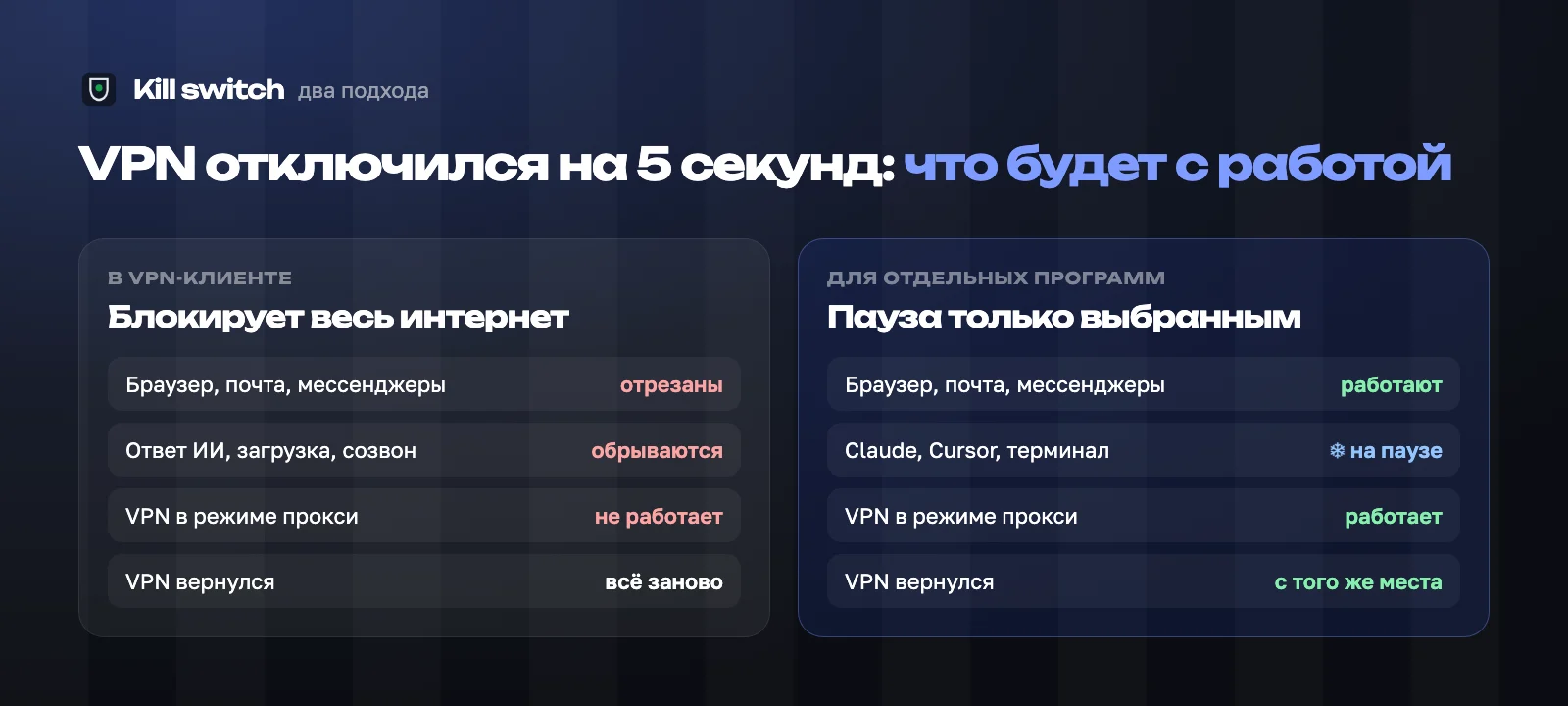
The VPN client adds a firewall rule: traffic may only leave through the tunnel. When the tunnel breaks, nothing goes out until the VPN reconnects.
It does its job honestly: not a single packet leaves outside the tunnel. The price is that every connection breaks at once: a call, a download, an AI answer that took two minutes to generate. The VPN is back in five seconds, and the work still has to start over.
Four cases when the built-in kill switch doesn't fire
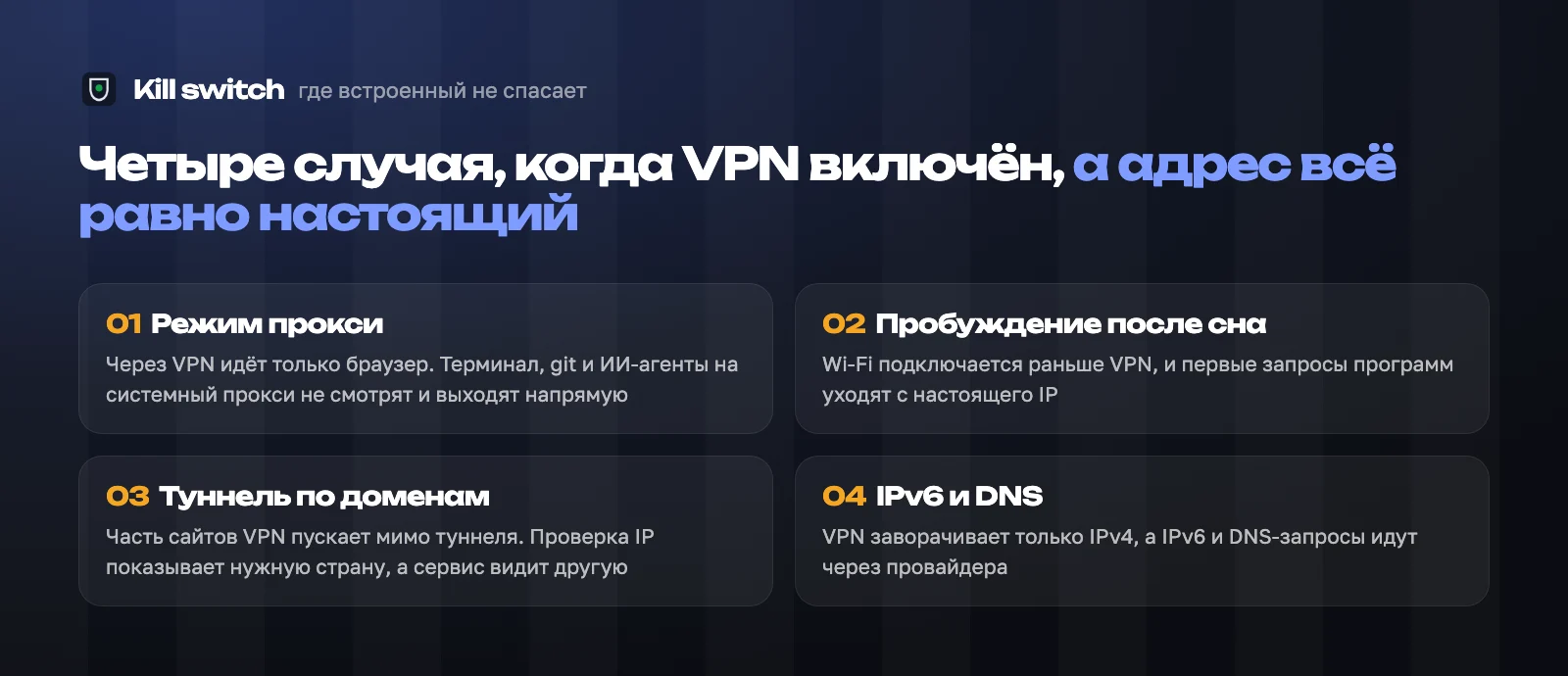
A VPN client's kill switch reacts to one event - the tunnel broke. But the address leaks even while the tunnel formally works:
- Proxy-mode VPN. Many clients only route the browser by default. The terminal, git, Claude Code and other apps that ignore the system proxy go direct. The kill switch stays silent: from its point of view all is well;
- Waking from sleep. Wi-Fi connects in a second, the VPN in three to five. In that window apps send their first requests from the real IP;
- Split tunnelling by domain. Some VPNs route by a list of sites. The IP check goes through the tunnel and shows the right country, while requests to the service you need go around it;
- IPv6 and DNS. The tunnel covers IPv4 only, while IPv6 and DNS queries go through the ISP. See how to check for DNS and IPv6 leaks.
In none of these cases did the tunnel break, so the system kill switch couldn't fire.
Why "cut all the internet" isn't for everyone
For someone reading news, a five-second drop is nothing. For someone who started an AI agent on an hour of work, it's a lost hour: the agent gets a network error and stops, the answer breaks off, the context has to be rebuilt.
It's also all or nothing. To check mail while the VPN reconnects, you have to turn the kill switch off entirely, and people often forget to turn it back on.
A per-app kill switch
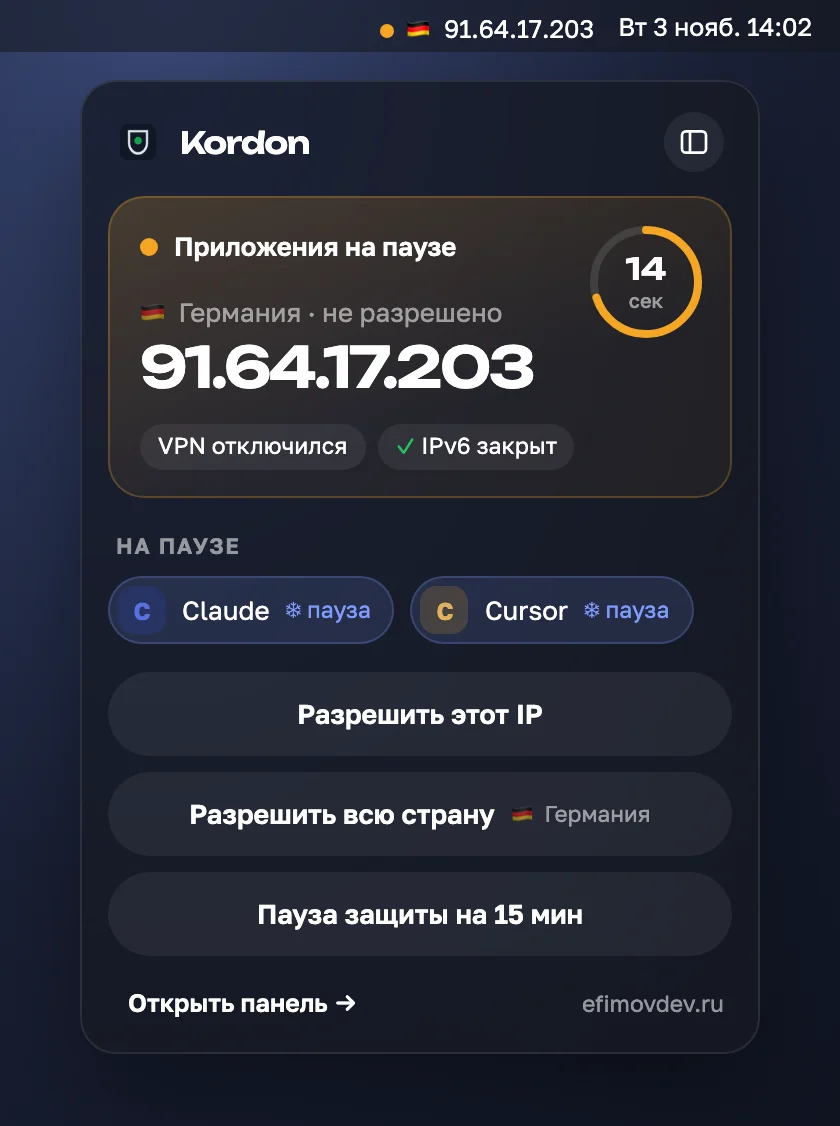
The second approach watches the result rather than the tunnel: which address the chosen apps really go out from. That's how our Kordon works. The network or address changed - the apps are paused with the system's own tools: not closed, frozen, sending nothing. The allowed address is back - they carry on where they were. Not back within 20 seconds - they close.
The pause covers everything the app started: helpers, terminal commands, git and curl. The rest of the internet works as usual.
It doesn't replace the system kill switch, it complements it. Kordon works at the app level, and milliseconds pass between a network change and the pause. If you need "not a single packet outside the VPN", use both.
Test your kill switch in five minutes
- start something long: a big download or a task for an AI agent;
- turn the VPN off by hand and see what happened to the download and the rest of the internet;
- check the address not only in the browser but from the terminal too: if they differ, the VPN is in proxy mode;
- close the laptop lid for a minute, open it and check the address right away - that's how a post-sleep leak shows;
- check IPv6 and DNS separately, a plain IP check doesn't show them.
If the real address showed up in even one step, a checkbox in the VPN client isn't enough.
If this is already on your plate, here is how we do it end to end: Corporate website development.
Frequently asked
What is a kill switch in simple words?+
An emergency switch: if the VPN disconnects, it keeps apps from going online from your real address. The one in a VPN client blocks all internet; a per-app kill switch stops only the chosen apps.
Why didn't my kill switch fire even though it's on?+
Most often the VPN runs in proxy mode and only routes the browser, lets some sites around the tunnel, or doesn't cover IPv6. The tunnel doesn't break, so the system kill switch doesn't react.
Is a per-app kill switch better than the built-in one?+
It doesn't cut the whole internet or break your work: the chosen apps pause and resume when the VPN is back. Best is to use both together.